- DOCX
- PPTX
- XLSX
- SVG
- Images
- CSV & more
Document infrastructure for humans and agents
Embed ready-to-use viewing, editing, and collaboration for PDF, Office, and more. Process documents through Node APIs and CLI—all powered by one high-fidelity engine, from browser to backend.
- InteractiveMIT / Apache-2.0
- ProgrammaticMIT / Apache-2.0
- AgenticMIT / Apache-2.0
- ToolsComing soonActions for AI agents
- MCPComing soonStandard agent integration
- FoundationProprietary
Capabilities
See what you can build with docMentis.
01 — Viewing
A complete viewer, not just a renderer.
Embed a feature-rich viewer for PDF, Office, and more. High-fidelity rendering, search, navigation, annotations, comments, and PDF form filling are built in—ready to use and customize.
Explore Viewer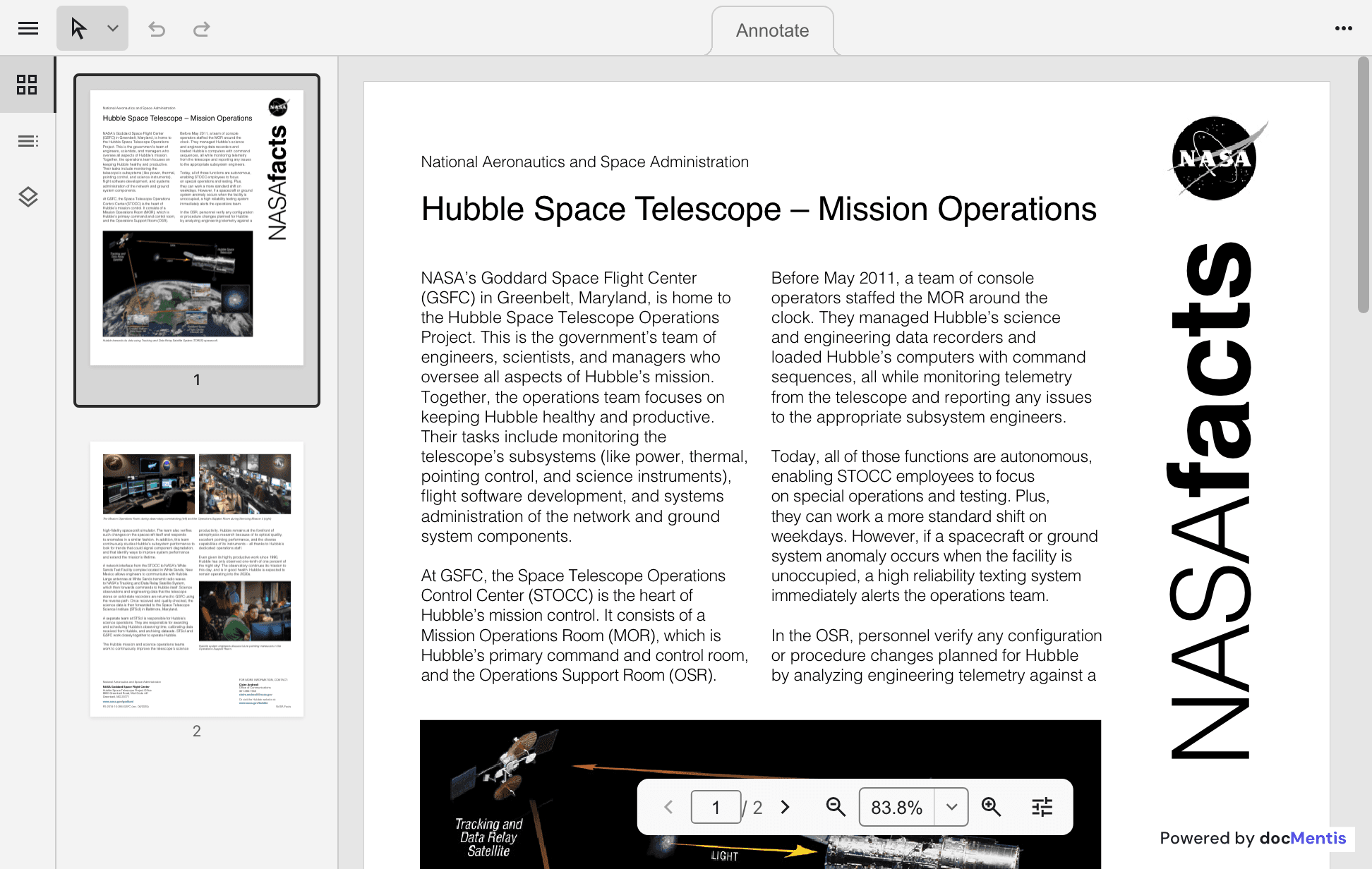
02 — Editing & Collaboration
Edit together. Online or offline.
Edit documents directly in your application, collaborate in real time, and keep working offline. Choose peer-to-peer or server-backed collaboration to fit your architecture.
Explore Editor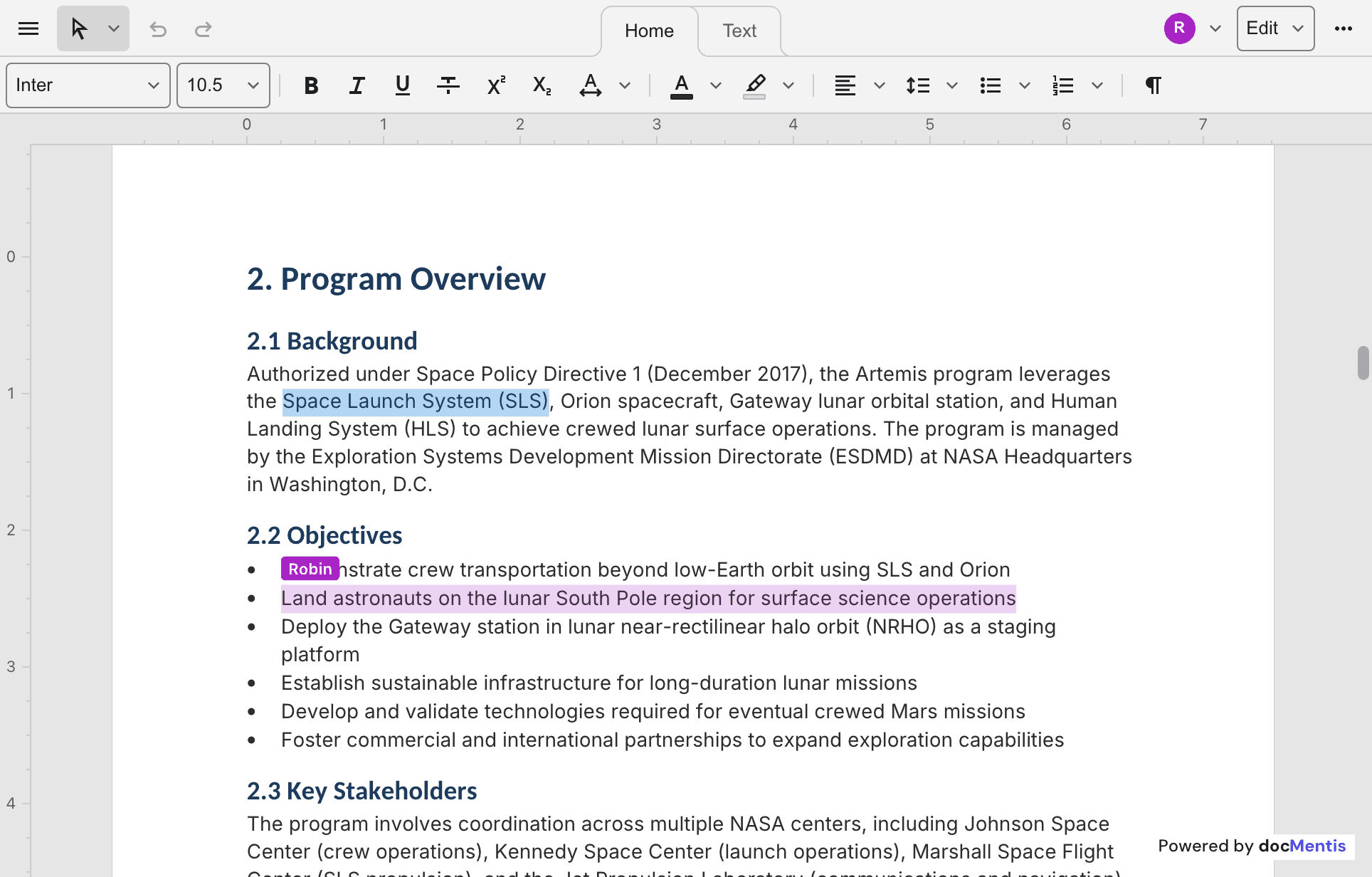
03 — Programmatic Processing
Put documents to work in code.
Read, render, and export documents using Node APIs and CLI commands. Automate document conversion and processing without building a separate document-processing stack.
Explore Developer Toolsimport { readFile, writeFile } from "node:fs/promises";
import { UDocNode } from "@docmentis/udoc-node";
const udoc = await UDocNode.create();
const session = await udoc.open(await readFile("report.docx"));
await writeFile("report.pdf", await session.exportToBytes("pdf"));
const png = await session.exportPageToBytes(0, { png: { scale: 2 } });
await writeFile("page-1.png", png);
await session.close();# Count a Word document's pages
udoc page-count report.docx
# Export it as a PDF
udoc export report.docx --out report.pdf
# Render its first page as a PNG, at 2x
udoc render report.docx --page 1 --scale 2 --out page-1.pngWhy docMentis
Build your application, not a document stack.
Start with ready-to-use components or build custom workflows with developer APIs. One engine handles multiple document formats across browser and backend, without requiring a document server.
One Engine. Many Formats.
A unified engine for PDF, Office, and more, delivering high-fidelity document rendering and consistent capabilities across viewing, editing, and processing—without stitching together multiple format-specific technologies.
Client-Side First. Server Optional.
Run document viewing and editing directly in the browser, without a mandatory backend. Extend your solution with programmatic processing, document streaming, centralized storage, or collaboration services when needed.
Ready to Use. Open to Customize.
Start with ready-to-use Viewer and Editor components. Customize the open-source packages and integrations to fit your application's interface and workflows.
Built for Developers
From installation to integration.
Add powerful document capabilities to your application with ready-to-use components and developer-friendly APIs. Start with what you need, customize as you grow.
Ready to use. Easy to customize.
Start with a complete document component rather than building a viewer or editor from scratch.
Use the open-source integration layer to customize the experience for your application.
Quick Start
1Install
Terminalnpm install @docmentis/udoc-viewer2Integrate
index.html<div id="viewer" style="height: 600px"></div>main.tsimport { UDocViewer } from "@docmentis/udoc-viewer"; const container = document.getElementById("viewer")!; const viewer = await UDocViewer.create(container); await viewer.open("/report.pdf");
- TypeScript
- JavaScript
- Open Source
- Customizable
Open Source & Licensing
Open-source components. Flexible licensing.
Build with open-source components backed by a powerful proprietary document engine. Start free with online access, or choose commercial licensing for greater deployment flexibility and control.
Open-Source Components
Built to be yours.
Viewer, Editor, Node, CLI, and Server are open source. Inspect the code, customize integrations, and build document experiences that fit your applications.
MIT / Apache-2.0
Proprietary Engine
Free to start. Ready to scale.
The shared document engine supports free usage through online permits. Commercial licensing enables offline deployment and options such as removing telemetry and attribution.
Free access · Commercial licenses
Start building with docMentis.
Explore the documentation, try the live demo, or contact us about commercial licensing and deployment requirements.
Discuss Commercial Licensing →